How Do I Prepare Files for Large Format Printing? Ultimate Guide
Preparing print files for large format output requires different settings than small-format print. This guide covers resolution, color mode, bleeds, and file formats for flawless large format printing.
File Preparation for Large Format Printing: What You Need to Know
Large format printing has its own set of file requirements that differ significantly from standard print. Submitting correctly prepared files saves time, avoids costly reprints, and ensures your graphics look their best at full size. At VSL Print, we preflight every incoming file — but the more prepared your files are, the faster your job gets to press. It also helps to know the machinery your file is headed for, and our explainer on how large format printing works walks through exactly that.
Resolution: Think in DPI at Final Size
The most common large format file mistake is applying small-format resolution standards to large files. For a business card or brochure, you need 300 DPI at final print size. For large format, the rules are different:
- 100–150 DPI at final print size is the standard for large format output viewed at normal distances (3–10 feet).
- 72–100 DPI is acceptable for billboard-scale graphics viewed from 20+ feet away.
- 200–300 DPI is needed for close-view applications like countertop displays or table banners where viewers are within arm's reach.
A 10 x 4 foot banner file at 100 DPI is 12,000 x 4,800 pixels — a very large file. Always check your resolution at the actual final output dimensions in your design application.
Color Mode
Always build large format files in CMYK color mode. RGB files will be converted during RIP processing, and the conversion can shift colors — especially blues, purples, and highly saturated tones. If your brand uses specific Pantone colors, note the closest CMYK equivalents and communicate them to our production team.
Bleeds and Safe Zones
- Include at least 0.5 inch of bleed on all sides where the design extends to the edge. For large banners, 1 inch of bleed is preferred.
- Keep important content (text, logos, critical design elements) at least 0.5 inch inside the trim edge as a safe zone.
- For banners with pole pockets or hems, add additional bleed beyond the hem fold area.
File Formats
Accepted file formats at VSL Print for large format printing:
- PDF — preferred; use PDF/X-4 with all fonts embedded and images at correct resolution
- Adobe Illustrator (.ai or .eps) — excellent for vector-heavy designs; outline all fonts
- Adobe Photoshop (.psd or .tif) — ideal for photographic large format prints; flatten layers for final output
- Adobe InDesign (.indd) — acceptable if all links and fonts are packaged
Avoid submitting Word documents, PowerPoint files, or low-resolution web-exported images (JPEGs at 72 DPI) for large format printing.
Vector vs. Raster
Wherever possible, use vector graphics for logos, icons, and text in your large format layouts. Vectors scale infinitely without quality loss. Raster elements (photos) must be high enough resolution at final size — see the DPI guidelines above.
Handling Large Files
Large format files are often large in digital file size. For files over 500 MB:
- Use our online file upload portal or WeTransfer/Dropbox for delivery.
- Consider flattening and merging layers in Photoshop to reduce file size without losing quality.
- PNG and TIFF are preferred over JPEG for large format images to avoid compression artifacts visible at large scale.
Scaling Artwork: Build at Full Size or at a Ratio
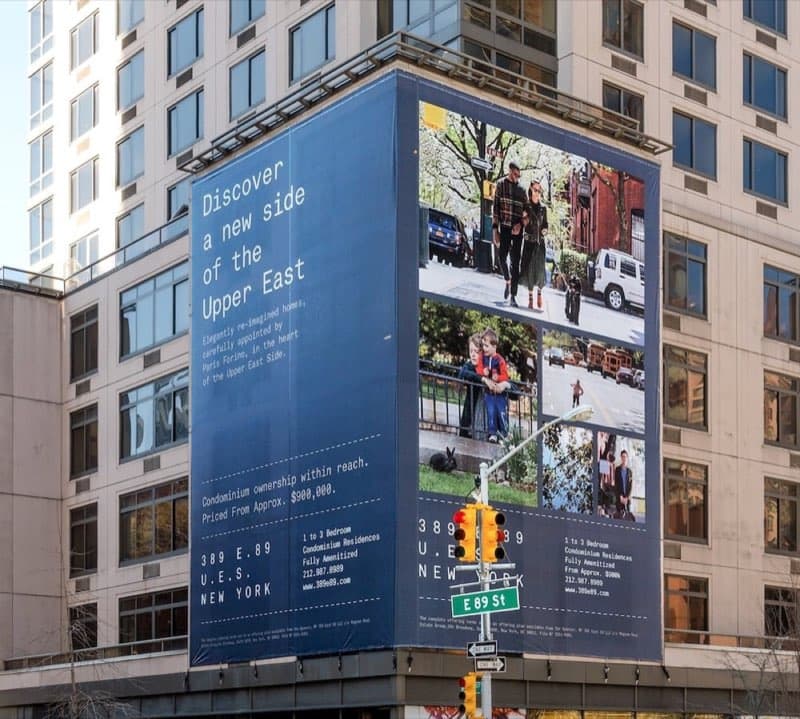
Very large graphics create a practical file-size problem: a true full-size file for a building wrap can be enormous and unwieldy. The professional workaround is to build at a known ratio — commonly half-scale (1:2) or quarter-scale (1:4) — and tell us the scale so we can enlarge proportionally. The critical rule when scaling down is to also scale your effective resolution up: a file built at 1:2 must be at twice the final DPI so that, when doubled in size, it lands at the target resolution. Vector elements scale losslessly regardless, which is another reason to keep logos and type as vectors. Always label scaled files clearly so there is no ambiguity about final output dimensions. Developers ordering these oversized graphics usually need real estate brochure printing in the same push, and we prep files for both under one roof.
Spot Colors, Overprints, and White Ink
A few file-setup details specific to large format deserve attention. If your design calls for a metallic or white-ink element on a press equipped for it, that element usually needs to be set up as a named spot color or a separate layer so the RIP knows to treat it specially rather than printing it as process color. Be cautious with overprint settings: an accidental overprint on white objects can make them vanish on press. And if printing on clear or dark substrate where a white underbase is needed for opacity, plan that white layer in the file or coordinate it with us. These are exactly the kinds of details our preflight review confirms before a large, expensive print runs.
Designing for Finishing: Grommets, Pole Pockets, and Folds
One step designers frequently overlook is accounting for finishing inside the artwork. If a banner will have grommets, keep logos and text away from the corners and edges where the metal rings punch through. If it uses pole pockets or sewn hems, the design must include extra material that folds back out of view — typically 2 to 4 inches depending on the pole diameter, so anything in that zone disappears. For rigid signs that will be drilled for standoffs or routed to a shape, leave a safe margin around the cut or hole locations. Telling us the finishing plan up front lets us confirm your file leaves room for it before production starts.
Tiling and Oversized Output
When a graphic exceeds the printable width of the press, we produce it as multiple tiles or panels that are seamed or hung together on site. For tiled artwork, build the file at full final size and let us handle the splitting, or coordinate overlap allowances with our team so the seams align cleanly. Plan seam placement to avoid running through faces, logos, or fine text where a slight mismatch would be noticeable. A small overlap on each panel gives the installer room to align the image perfectly on the wall.
Frequently Asked Questions
My photo looks sharp on screen but you flagged it as low-res. Why? On-screen zoom does not reflect print resolution. A web image may be only 72 DPI at a few inches; blown up to banner size it drops well below usable resolution. Always check effective DPI at the final printed dimensions.
Should I outline my fonts? For Illustrator and EPS files headed to large format, outlining text guarantees it renders exactly as designed with no font-substitution risk. In PDFs, embedding fonts accomplishes the same thing.
What color mode if my file has both a logo and photos? Build in CMYK and supply Pantone references for brand-critical colors. We manage the conversion so logos stay on-brand and photographs stay rich.
What is the safest file format to send? A press-ready PDF/X is the most reliable choice for large format: it embeds fonts, preserves vector elements, and carries your color and bleed settings in a single, portable file. Native Illustrator or Photoshop files also work well when fonts are outlined or packaged and images are at the correct resolution. When in doubt, send a PDF/X and we will confirm it before output.
Get File Specs from VSL Print
Every large format job has slightly different requirements based on substrate, finishing, and application. Download our large format file specs sheet from the Resources section of our website, or call our production team at (646) 843-0800 to discuss your specific project before you begin building files.
Looking for professional large format printing?
View Large Format PrintingReady to start your print project?
Get a free quote from a NYC commercial printer. Rush turnaround available.